Resources
This is one of the most frequently asked questions I receive via email.
I hope the following statement will address this query:
No individual, company, or government needs any authorization to install Notepad++ on any number of PCs. The software is free to use in all environments, including commercial ones.
Notepad++ is Free Software. This means that not only is it an open-source project, but you also have the right and the freedom to access the source code, modify it, and distribute the compiled binary along with the modified source code. These rights (the freedom) are protected by the GNU General Public License.
Notepad++ source code can be access via its repository on GitHub: https://github.com/notepad-plus-plus/notepad-plus-plus
Your pull requests will be welcome. However, they are not always accepted for diverse reasons. Here are the guidelines for your pull requests: https://github.com/notepad-plus-plus/notepad-plus-plus/blob/master/CONTRIBUTING.md
https://github.com/notepad-plus-plus/old-releases
Starting with version 8.8.2, Notepad++ no longer used code signing certificate issued by conventional Certificate Authorities. From version 8.8.3 to 8.8.6, releases were signed sorly with a self-signed certificate. Beginning with version 8.8.7, Notepad++ regained a legitimate certificate (issued by conventional CA), and double signed with the following certificate:
Name: Notepad++Emitted by: Notepad++ Root CertificateSerial Number: 38D07732D5E4A2628A303D479035C1D1Thumbprint: 7F517E235584AFC146F6D3B44CD34C6CC36A3AB2Created: 2025-07-09Expires: 2028-07-09
The above certificate was removed in v8.9. Beginning with vesion 8.9, Notepad++ release binaries are signed only with a certificate issued by GlobalSign. We strongly recommend that users who previously installed the self-signed root certificate remove it.
In addition to X.509 code signing, Notepad++ packages are also signed using a GPG Release Key, which has the following characteristics:
- Signer: Notepad++
- E-mail: [email protected]
- Key ID: 0x8D84F46E
- Key fingerprint: 14BCE4362749B2B51F8C71226C429F1D8D84F46E
- Key type: RSA 4096 / 4096
- Created: 2019-03-11
- Expiries: 2027-03-13
Obtaining and validating Release Key
To make signature verification possible, you need to obtain a copy of our Release Key, or you can get it from Notepad++’s GitHub page.
Notepad++ is “Made in Worldwide” and distributed outside of USA territory (both source code and binary) so there shouldn’t be an ECCN issue. However you may need Notepad++ ECCN number to conform to US law, here it is: EAR99
According to US law, you may need Voluntary Product Accessibility Template file for Notepad++ if you are in a USA territory.
From Binary Translations page you could get the language you need.
From the v3.1, Notepad++ has the extension capacity - the plugin system. Please see Plugins HOWTO to learn how to install a plugin or/and how to develop a plugin.
A list of plugins is maintained by Notepad++ community, used by Plugin Admin.
If you can not find the plugin you need, just make your own.
For some reasons that some languages are not supported by Notepad++, User Language Define System can help you out in this case. This system allows user to define his own language : not only the syntax highlighting keywords definition, but also the syntax folding keywords definition, comment keywords definition and the operators definition.
You can define your language via User Language Define Dialog. However, the language you need may be already defined by someone-else in this User Defined Languages Collection.
From the version 8.4.2, Notepad++ allows users to customize the toolbar icons (ie. overriding the default toolbar icons by using the set of icons provided by user). So for people who stick on the old big legacy icons, here is the solution:
Download the nppLegacyIconSet.zip and unzip it into %APPDATA%\Notepad++\ folder if you installed Notepad++ with the installer (or if you used the zipped package, unzip the content into the Notepad++ installation folder). Relaunch Notepad++ then you will see the old legacy icons appear.
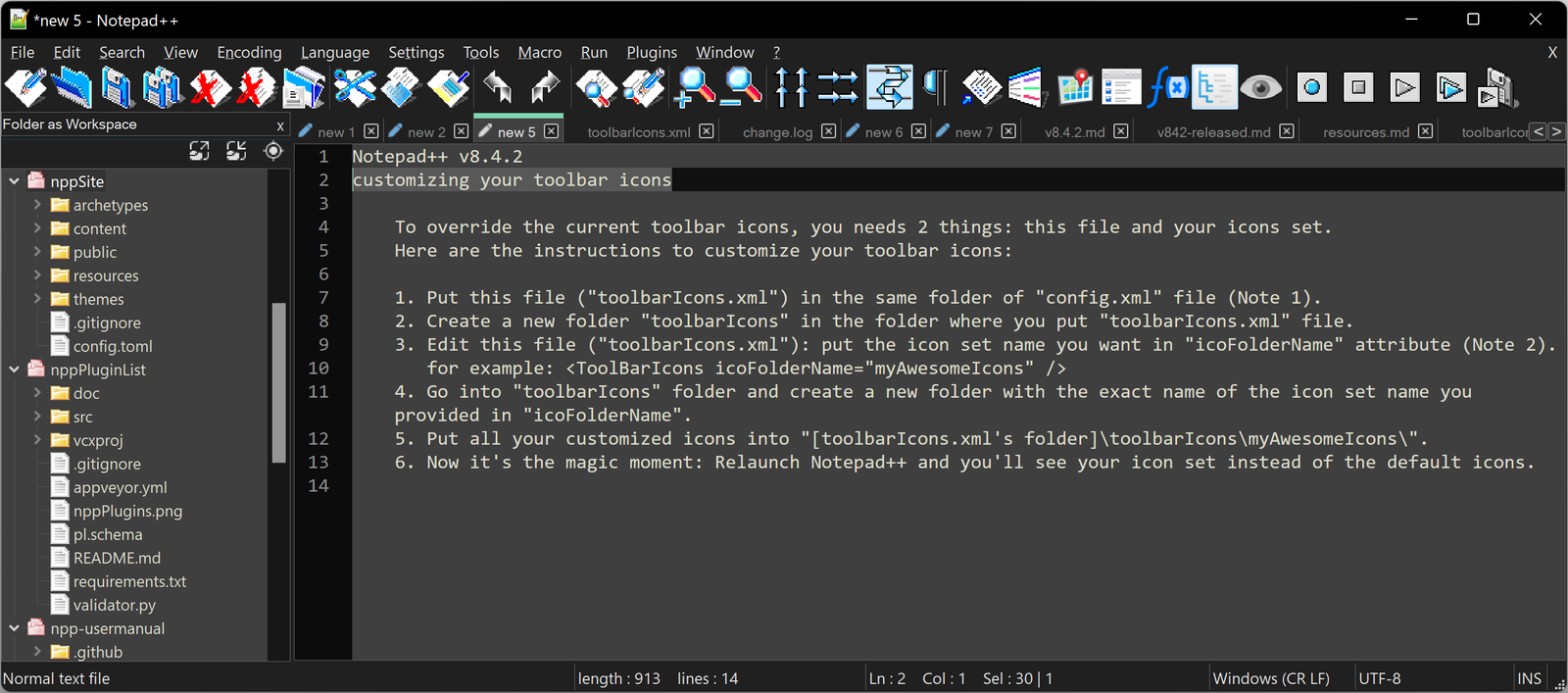
To disable customizing toolbar icons feature, just rename “toolbarIcons.xml” to “toolbarIcons.xml.OFF” (or whatever you want), and relaunch Notepad++.
Just replace the old legacy icons by you icons, if you want to build your own icon set.
This is one of the most asked question in the forums. Check here to have the solution.
You can find Notepad++ thong in the following online shops, as well mugs and apparels.
Coming soon… Hopefully!
Other free software for Windows
If you are putting together a toolkit of free, open-source programs for Windows 10 and Windows 11 alongside Notepad++, screen recording and live streaming are often the next thing people look for. Downloads and documentation for OBS Studio are available at Project OBS. It is a separate, unrelated project.